Getting started
From your website to your first month
Create your account, review your four free previews, choose a plan, and prepare the rest of your month.6 min read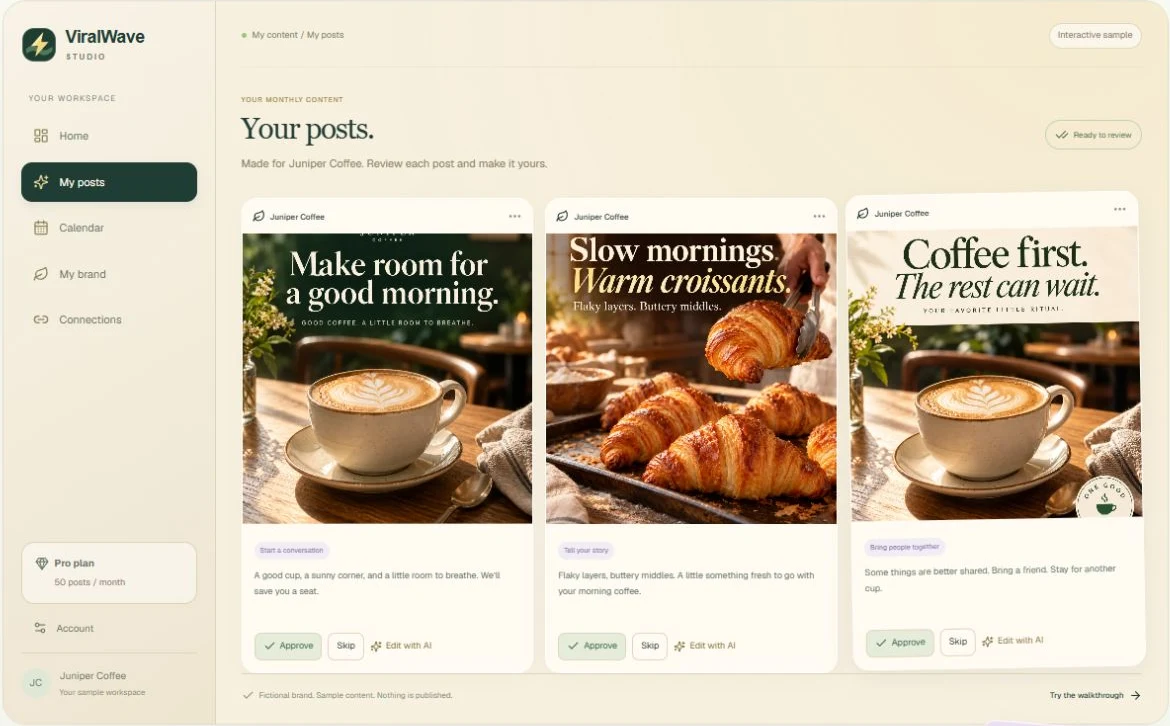
- 01
Enter your public website
Use your main business website on the homepage. Public pages give ViralWave the context for your services, audience, and brand. Create or sign in to your account, then complete email verification when prompted.
- 02
Watch the tour while your preview is prepared
The tour demonstrates approval and AI editing. Practice examples do not publish or change your real posts. Finish the tour or skip it to see generation progress.
- 03
Review your first four posts
Approve the ideas you like, skip the ones you do not, or save them for later. Check business facts and the proposed brand voice. Your decisions are saved.
- 04
Choose your monthly allowance
Select Starter for 15, Pro for 50, or Powerhouse for 100 posts with images each month. Choose monthly billing or yearly billing with 20% off. Stripe shows the total before you confirm.
- 05
Complete your business setup
After checkout, payment confirmation opens your dashboard once access is active. Answer the setup questions and optionally add your own photos. The engine creates the remaining posts; your first four are part of the total, not an extra batch.
- 06
Connect and enable publishing
Open Connections, connect supported channels, and complete publishing setup. Approved posts can then join the schedule. Without this setup, your planned calendar does not publish anything.
Helpful tips
- Use a site that explains what your business actually sells or does.
- Keep the generation page open to watch progress, or return later to the saved collection.
- A paid account still needs publishing setup before approved posts can go live.
If something doesn’t look right
My site cannot be read.
Use its main public page rather than a login, checkout, private dashboard, or social profile. If the extracted details are limited, review My brand carefully and contact support with the website URL.
The tour looks different from my business.
Tour cards are fictional examples. Your real generated collection is separate and appears when the preview finishes.