Brand & media
Review and edit your brand voice
Keep the business facts, audience, tone, and content pillars behind your posts accurate.4 min read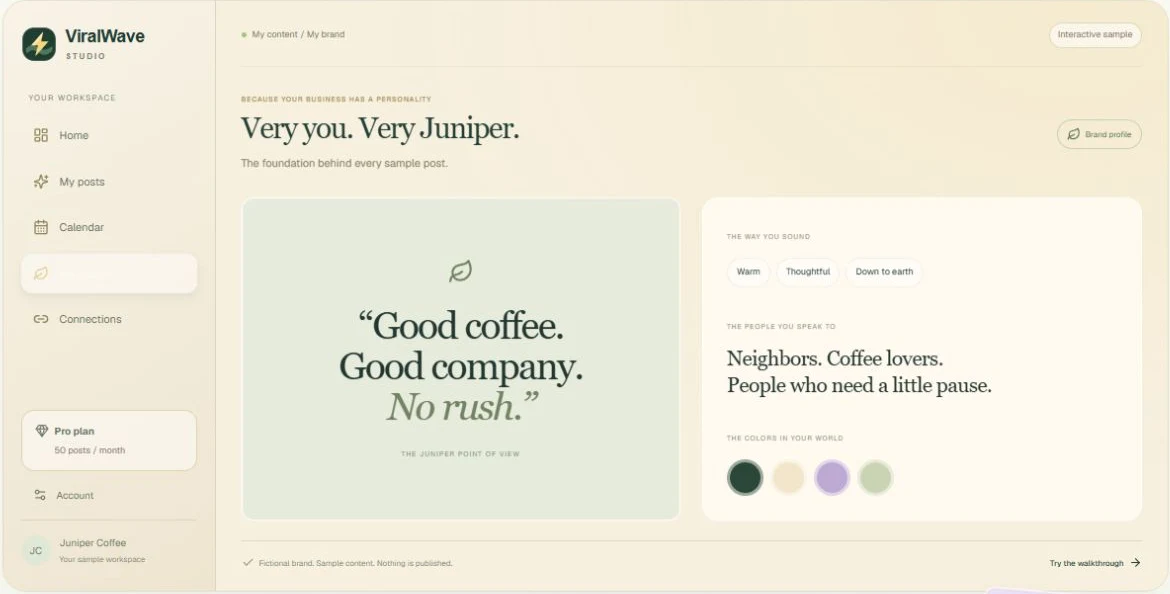
- 01
Open My brand
Your brand voice is the starting view. Review the business description, audience, tone, words and phrases, visual direction, and content pillars.
- 02
Correct the facts first
Fix incorrect products, services, locations, prices, or claims before using them in posts. Limited website detail makes this review especially important.
- 03
Refine the voice
Use the editing controls to describe your preferred tone and audience. Be specific: “Friendly and direct, for local homeowners” gives more direction than “Make it better.”
- 04
Save and review your existing content
Save your profile changes. Brand changes guide upcoming creation; they do not automatically rewrite every existing caption or image. Edit existing posts separately when needed.
Helpful tips
- Keep your content pillars focused on the things your customers care about.
- Avoid adding promises or claims that your business cannot support.
- Visit My brand’s photos area to add images or AI references.
If something doesn’t look right
Industry or audience is unspecified.
Your public website may not provide enough detail. Use the brand editing controls to add accurate context rather than approving guessed information.
I updated my brand but an old post still uses the previous wording.
Open that post and edit its caption or image. Saved posts are not silently rewritten when the profile changes.